How to export a Wikipedia table to Excel, Google Sheets or CSV
Wikipedia tables look simple, but pasting them into a spreadsheet often goes wrong: merged cells shift columns, footnote markers end up in the numbers, and the links to each article are lost. Here are three free ways to do it, from quickest to most complete.
1. Copy and paste (fine for small tables)
- Select the table on the page, from the first header cell to the last cell.
- Copy, then paste into Excel or Google Sheets.
This works for small, plain tables. Check the result for footnote markers like [1] inside numbers and for rows that moved when a cell spans several rows. Links are not kept as separate columns.
2. Google Sheets IMPORTHTML (live copy, no add-on)
Google Sheets can pull a table straight from the page with a formula:
=IMPORTHTML("https://en.wikipedia.org/wiki/List_of_largest_companies_by_revenue", "table", 1)
- The last number is which table on the page to import, counting from 1. If you get the wrong table, try 2, 3 and so on.
- The data refreshes from the page from time to time, so do not edit cells inside the imported range. Copy and "paste values only" somewhere else if you want a fixed copy.
- To get a CSV, use File, then Download, then Comma separated values.
This is the best option when you only need the visible text of one table and want it to stay up to date. If it returns an error or an empty cell, see IMPORTHTML not working? Why it fails.
3. A browser add-on (keeps the links, handles lists too)
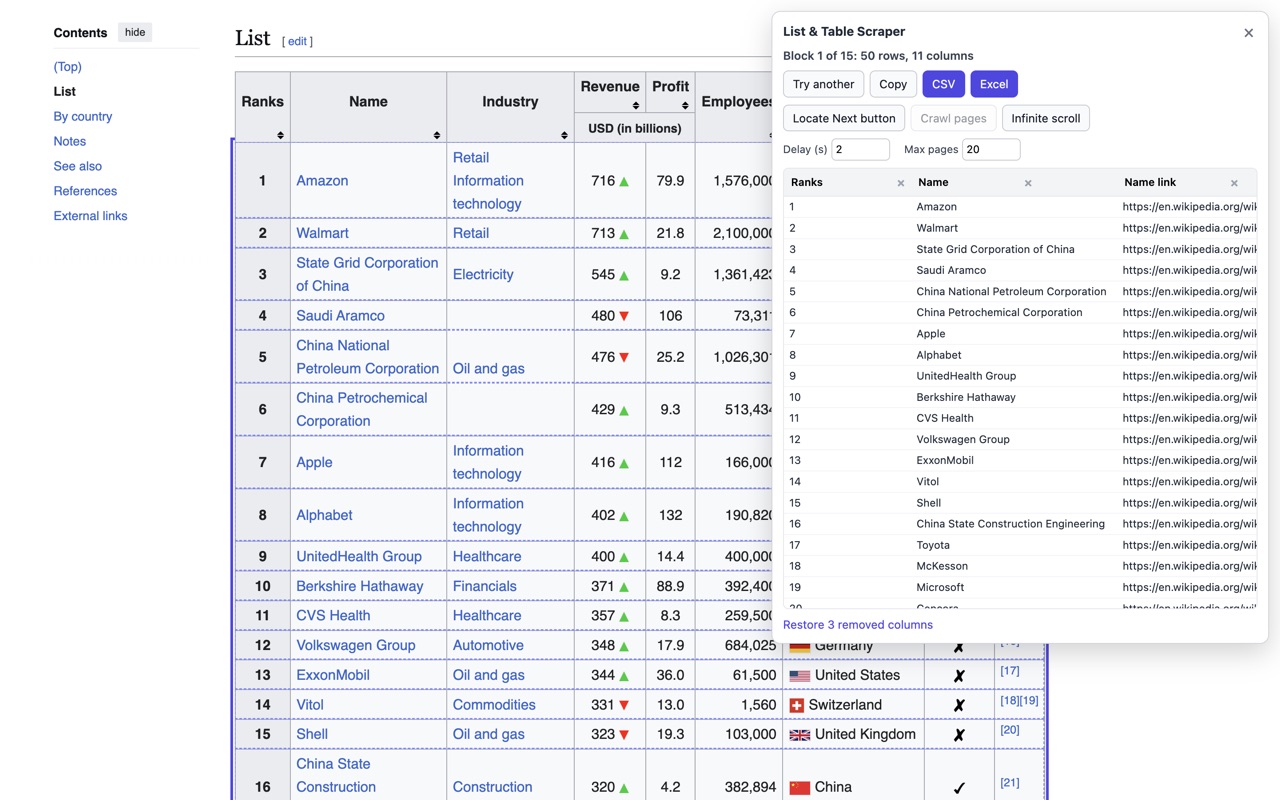
List & Table Scraper is a free Firefox add-on we make. Click its toolbar button on the Wikipedia page and it outlines the table it found and shows a preview. Real tables use their header cells as column names, and a column of links holds the full article addresses, which is handy if you want to open or scrape each article next.
- Wrong table? Click Try another.
- Rename a column by typing in its header, or remove it with the x.
- Download CSV, Excel (.xlsx) or JSON, or copy everything and paste into Google Sheets.
It runs in your browser only: no account, and nothing is sent to a server.
Which one should I use?
| You want | Use |
|---|---|
| A quick one-off copy of a small table | Copy and paste |
| A copy in Google Sheets that stays up to date | IMPORTHTML |
| The links as well as the text, or a list that is not a real table | List & Table Scraper |